
 The WordPress plugin directory leaves even seasoned developers overwhelmed. More than 60,766 options exist, yet all but one of these plugins reach millions of active users. The task of finding the right tools feels like searching for needles in a digital haystack.
WordPress now powers over 43% of all websites. The wrong plugins or too many of them can devastate your site’s performance and create serious security risks. This challenge has become more critical in 2026, as Google’s Core Web Vitals now directly affect your SEO rankings. The perfect WordPress plugins balance functionality and efficiency, particularly for blogs and business websites. This piece cuts through the noise to present 25 indispensable tools that will save you countless hours – from free plugins handling basic tasks to premium options with advanced features.
Elementor
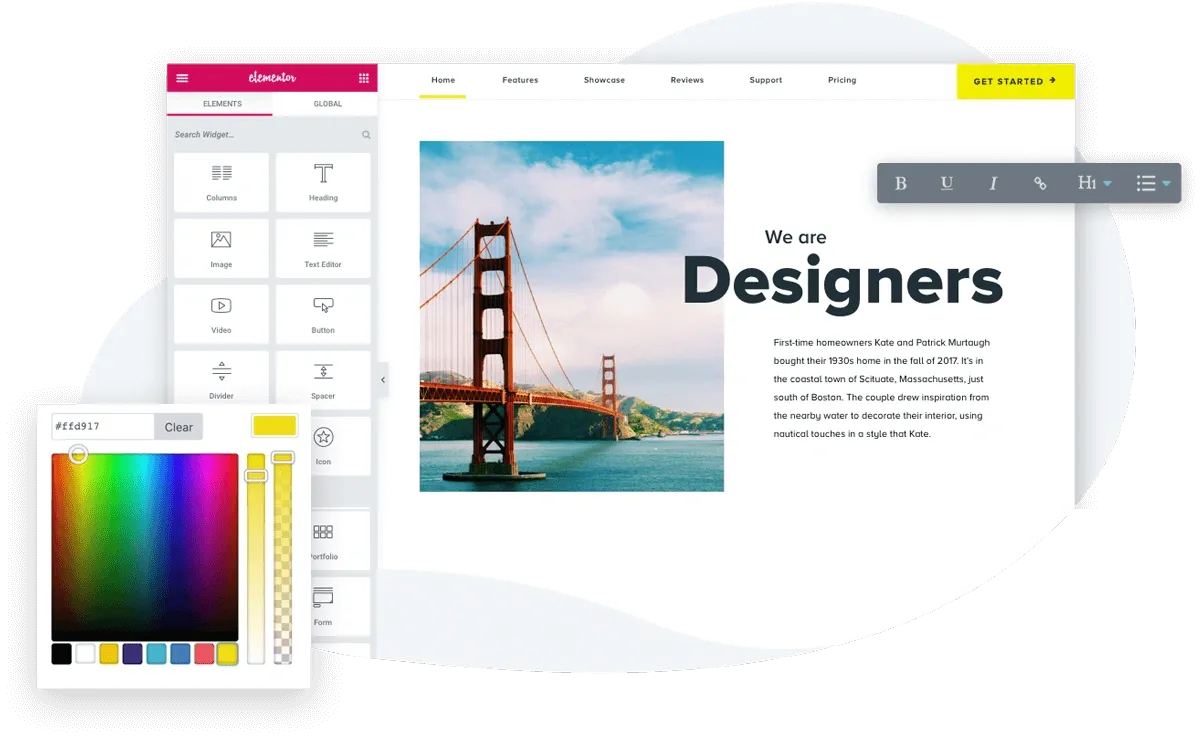
Image Source: Elementor
Elementor, a visual drag-and-drop page builder, helps you build WordPress sites better and powers over 21 million websites worldwide. This life-blood tool for website creation now runs on 13% of all global sites.
Elementor Key Features
Elementor distinguishes itself from other WordPress plugins with its accessible interface that anyone can use without coding knowledge. The editor has:
Live visual editing with real-time preview
Responsive design controls for mobile, tablet, and desktop devices
Global site settings for consistent typography and colors
30+ simple widgets in the free version and 85+ advanced widgets in Pro
The Theme Builder comes with Elementor Pro. You can design headers, footers, post templates, and WooCommerce product pages. On top of that, it gives you dynamic content capabilities, custom CSS options, and marketing tools like popups and forms.
Elementor Time-Saving Benefits
Your development time will drop substantially with Elementor’s smart features. The autosave feature protects your work without manual intervention. You can copy styles between elements and clone sections to different pages.
Element caching makes pages load up to 70% faster by serving pre-rendered widgets. These optimizations, along with lazy loading images and inline font icons, will give a lightning-fast experience despite visual complexity.
Elementor Pricing
Elementor gives you both free and premium options:
Free: Simple page building capabilities with 30+ widgets
Essential: €60/year for 1 site, 57 Pro widgets
Advanced Solo: €84/year for 1 site, 86 Pro widgets
Advanced: €99/year for 3 sites, 86 Pro widgets
Expert: €204/year for 25 sites
Agency: €399/year for 1000 sites
Elementor Best Use Case
Beginners can create simple sites with Elementor Free or use complementary plugins. Professional web developers will benefit more from Elementor Pro when building complex sites that need site-wide templates, dynamic content, forms, popups, and e-commerce functionality. Pro version reduces the need for multiple plugins, which makes websites faster and more SEO-friendly.
Yoast SEO
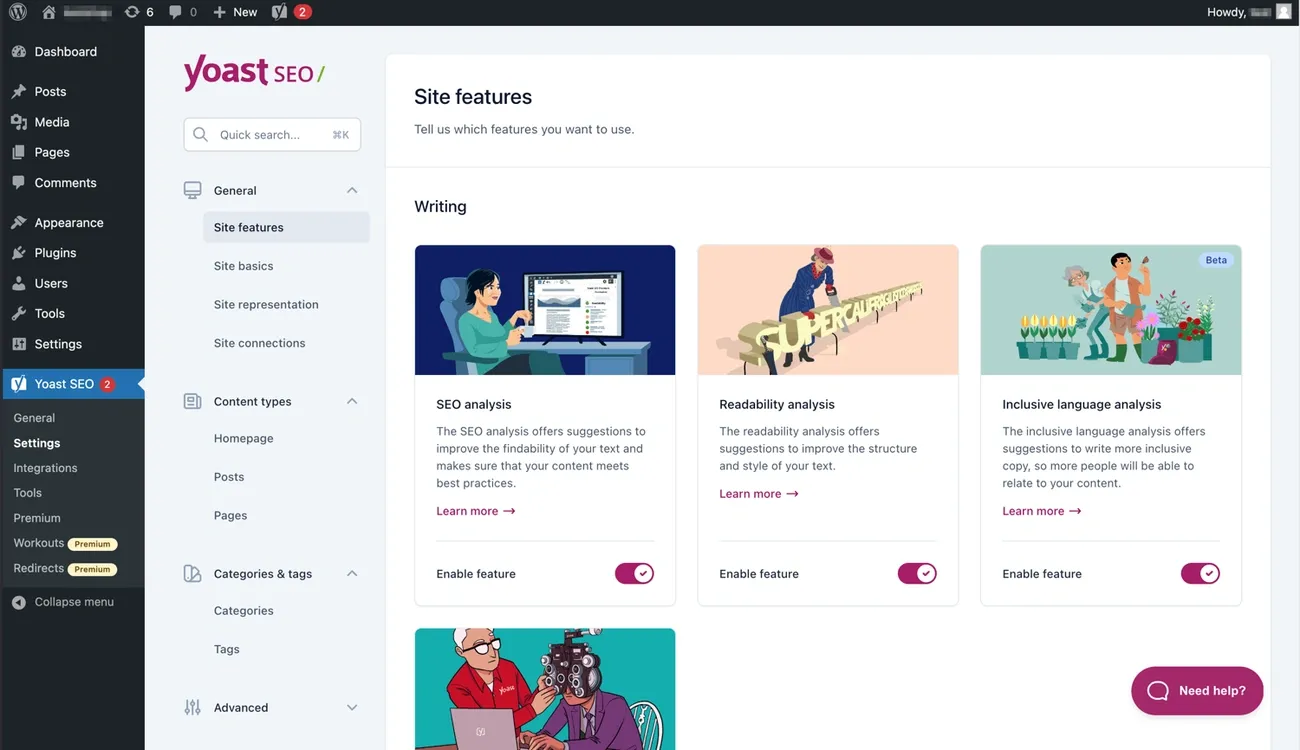
Image Source: WordPress
Raise your site’s search visibility with Yoast SEO, the leading WordPress SEO plugin that commands 61.41% market share in 2025. Yoast has reshaped the scene of WordPress SEO over the last several years with more than 13 million active installations and 850 million downloads. This plugin has become the life-blood component for websites aiming to improve their search rankings.
Yoast SEO Key Features
Yoast SEO provides detailed optimization capabilities through:
Content analysis with up-to-the-minute SEO and readability feedback usingthe Flesch-Kincaid Reading Ease test
Automatic XML sitemap generation that updates with new or removed pages
Schema implementation creating a unified semantic graph that connects your organization, content, and products
Technical SEO management with canonical URLs, redirects, and breadcrumb controls
Inclusive language checking across seven factors like age, appearance, and socioeconomic status
The plugin automatically creates structured data, manages crawlability settings, and lets you control whether AI bots can use your content for training.
Yoast SEO Time-Saving Benefits
You’ll find simplified processes through several innovative features:
Premium’s AI-powered tools cut down manual work substantially. AI Generate creates optimized titles and meta descriptions, while AI Optimize gives you one-click content improvement suggestions. This means users can focus more on creating quality content instead of crafting metadata.
Related articles appear as suggestions while you write, helping you build internal links naturally. The redirect manager creates redirects automatically when URLs change, which prevents broken links and maintains SEO value.
Yoast SEO Pricing
Yoast comes with these pricing options:
Free: Simple SEO tools with basic content analysis and XML sitemaps
Premium: USD 118.80/year (excluding VAT) with multiple keyword optimization, redirect management, and AI features
Unlike competitors who charge extra for AI features, Yoast Premium includes all AI capabilities in its subscription.
Yoast SEO Best Use Case
Content-driven websites, bloggers, and businesses looking to boost their organic visibility will find Yoast SEO particularly useful. The plugin’s user-friendly interface helps businesses of all sizes handle complex SEO tasks without needing technical know-how.
Beginners with simple SEO needs can start with the free version. Premium works best for sites with lots of content that needs multiple keyword optimization, advanced schema implementation, and ongoing technical SEO management. Big names like Microsoft, Spotify, and The Guardian trust Yoast for their WordPress SEO.
WP Rocket
Image Source: wp-rocket.me
WP Rocket helps you speed up your WordPress website right away. This premium caching plugin automatically applies 80% of web performance best practices when you activate it. You don’t need any technical knowledge to see your loading times improve, unlike other performance plugins.
WP Rocket Key Features
WP Rocket combines several powerful optimization techniques:
Page caching creates static HTML versions of your pages
File optimization with CSS/JS minification and combination
Lazy loading for images and iframes
Database optimization removes unnecessary data
Rocket Insights tracks your performance
The plugin works well with hosting providers, themes, plugins, eCommerce solutions, and multilingual sites of all sizes.
WP Rocket Time-Saving Benefits
We designed WP Rocket to streamline website optimization through its zero-configuration approach. You just install and activate it—no settings to adjust or code to modify. The plugin helps you:
Load pages faster with automatic cache preloading
Keep your database clean with scheduled automatic cleanups
Improve Core Web Vitals by delaying JavaScript execution until user interaction
WP Rocket Pricing
You can choose from three annual subscription options:
Single: USD 59.00/year for 1 site
Plus: USD 119.00/year for 3 sites
Multi: USD 299.00/year for 50 sites
Each plan comes with similar features and a 14-day money-back guarantee.
WP Rocket Best Use Case
WP Rocket works best for:
Website owners who want a “set it and forget it” optimization tool without technical knowledge
Businesses where page speed drives revenue
Agencies managing multiple client sites on different hosting platforms
The plugin becomes especially valuable when you have websites on budget hosting platforms like Bluehost, HostGator, or GoDaddy that don’t provide server-level caching.
UpdraftPlus

Image Source: InstaWP
UpdraftPlus protects your WordPress website against data loss. This popular backup and migration plugin has earned the trust of over 3 million active sites worldwide. It safeguards your digital presence with detailed backup solutions that work smoothly on millions of WordPress deployments.
UpdraftPlus Key Features
UpdraftPlus stands out with its detailed approach to website protection:
Creates backups of your entire site or specific parts (database, plugins, themes, uploads)
Saves backups to multiple remote locations including Google Drive, Dropbox, and Amazon S3
Lets you restore your site with just three clicks and component-level control
Moves WordPress sites between hosts or domains using a built-in search-and-replace engine
The premium version includes incremental backups, database encryption, and support for Microsoft OneDrive, Azure, Google Cloud, and other advanced storage options.
UpdraftPlus Time-Saving Benefits
UpdraftPlus makes website maintenance easier with automated processes that cut out manual work. You can schedule backups to run every 2-12 hours, daily, weekly, monthly, or at times you choose. Premium users get extra automation – the system backs up automatically before updates and restores instantly if something breaks.
UpdraftPlus Pricing
UpdraftPlus comes with flexible pricing options:
Free: Complete backup/restore functionality with simple remote storage options
Personal: USD 70.00/year for 2 sites
Business: USD 95.00/year for 10 sites
Agency: USD 145.00/year for 35 sites
Enterprise: USD 195.00/year for unlimited sites
UpdraftPlus Best Use Case
Small to medium websites with simple backup needs work well with UpdraftPlus’s free version. Busy e-commerce stores, membership sites, or WordPress installations where data loss would be devastating need the premium version’s protection through encryption, incremental backups, and automatic pre-update safety measures.
WPForms
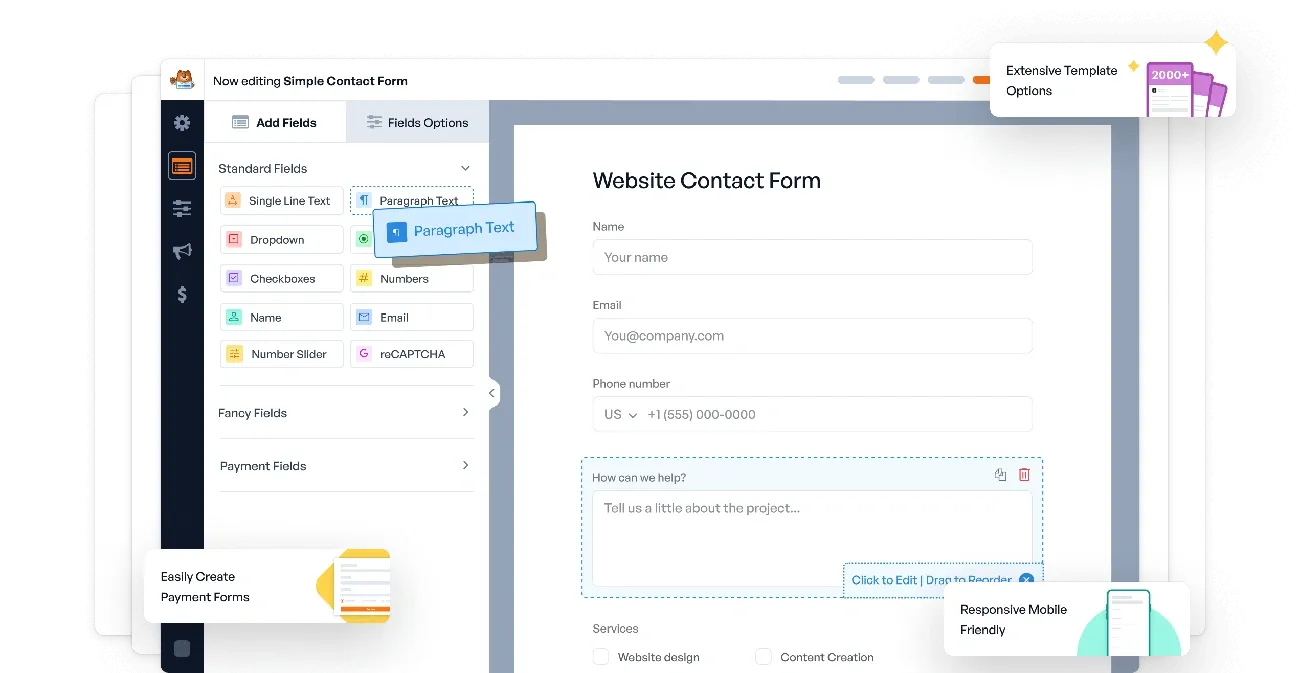
Image Source: wpforms.com
WPForms is a powerful WordPress plugin that helps you create professional forms without coding. The plugin boasts over 6+ million active installations and 300+ million downloads. Website owners love its easy-to-use interface and complete features.
WPForms Key Features
The plugin delivers simplicity with strong functionality through:
Drag-and-drop builder requiring zero coding knowledge
Over 2,000+ pre-built templates you can use for any scenario
Smart conditional logic to show/hide fields based on user input
Built-in payments processing via Stripe, PayPal, and Square
Form entry storage directly in WordPress dashboard or cloud
You can create various form types with WPForms, ranging from simple contact forms to complex surveys, online payments, and registration forms.
WPForms Time-Saving Benefits
The plugin makes form creation faster through several features:
AI form generator that creates customizable forms from simple descriptions
Template library that saves you from starting from scratch
Easy duplication of fields while keeping all settings intact
Right-click menu that allows quick field adjustments
Form locator tool that helps you find and manage all forms easily
WPForms Pricing
WPForms gives you flexible pricing options:
Free (Lite): Create unlimited forms and get unlimited responses
Basic: USD 49.50/year – has templates and conditional logic
Plus: USD 99.50/year – adds email marketing integrations
Pro: USD 199.50/year – has surveys, polls, and conversational forms
Elite: USD 299.50/year – adds webhooks, Salesforce, and unlimited sites
Each paid plan comes with a 14-day money-back guarantee.
WPForms Best Use Case
WPForms Lite works best for simple contact forms or basic lead generation. Premium versions serve businesses that need advanced features like payment processing, survey tools, or user-submitted content. The plugin shines especially when you have non-technical users who want professional forms without coding complexity.
Smush Image Optimization
Image Source: CSSIgniter
Smush, a powerful WordPress plugin with over 1 million active installations worldwide, helps you optimize your site’s images without effort. Web professionals have trusted this WPMU DEV tool since 2007 to create fast-loading websites while maintaining image quality.
Smush Features
Smush delivers detailed image optimization through:
Lossless and lossy compression for JPEG, GIF, and PNG images
Lazy loading of images and videos to improve loading times
Automatic resizing of oversized images upon upload
Directory Smush to optimize images in any folder, not just your media library
WebP and AVIF conversion in Pro version for modern image formats
Smush Time-Saving Benefits
The plugin’s bulk optimization capabilities process multiple images at once, making website maintenance easier. The latest version processes images 8x faster than competitors. Users can compress unlimited images in the free version with a 5MB per image limit. Each uploaded image gets optimized automatically.
Smush Pricing
Smush comes with flexible pricing options:
Free: Unlimited lossless compression for images up to 5MB
Pro: Starting at USD 7.50/month for 1 site (first year), then USD 15/month
Agency: USD 82.50/month for unlimited sites
Smush Best Use Case
Small blogs and personal websites will find Smush’s free version sufficient for simple optimization needs. Professional sites with heavy media requirements should consider the Pro version that includes WebP conversion, CDN integration, and enhanced compression.
Akismet Anti-Spam

Image Source: Akismet
Akismet Anti-Spam, a powerful plugin, protects your WordPress site from comment spam and has blocked over 567 billion spam comments to date. The company behind WordPress.com, Automattic, developed this vital tool that combines smoothly with your admin dashboard to eliminate unwanted content before it appears on your site.
Akismet Features
The plugin checks all comments automatically against its global spam database to filter out malicious content. Users can view comment status history, discover hidden URLs in comment bodies, and track the number of approved comments for each user. The discard feature ended up completely blocking the worst spam, which saves disk space and improves site performance.
Akismet Time-Saving Benefits
The average user saves about 20 hours each month through automated spam protection, according to Akismet. The plugin works quietly in the background and eliminates manual filtering of hundreds of spam comments. Spam can make up to 85% of all comments on popular WordPress sites.
Akismet Pricing
Free version available for personal blogs with no monetization
Pro: USD 9.95/month for commercial sites (500 spam checks/month)
Business: USD 49.95/month with 5,000 monthly spam checks
Enterprise: Custom solutions for large businesses
Akismet Best Use Case
The plugin works best with comment-heavy blogs, popular WordPress websites, and sites that accept user submissions through comments or contact forms.
Jetpack
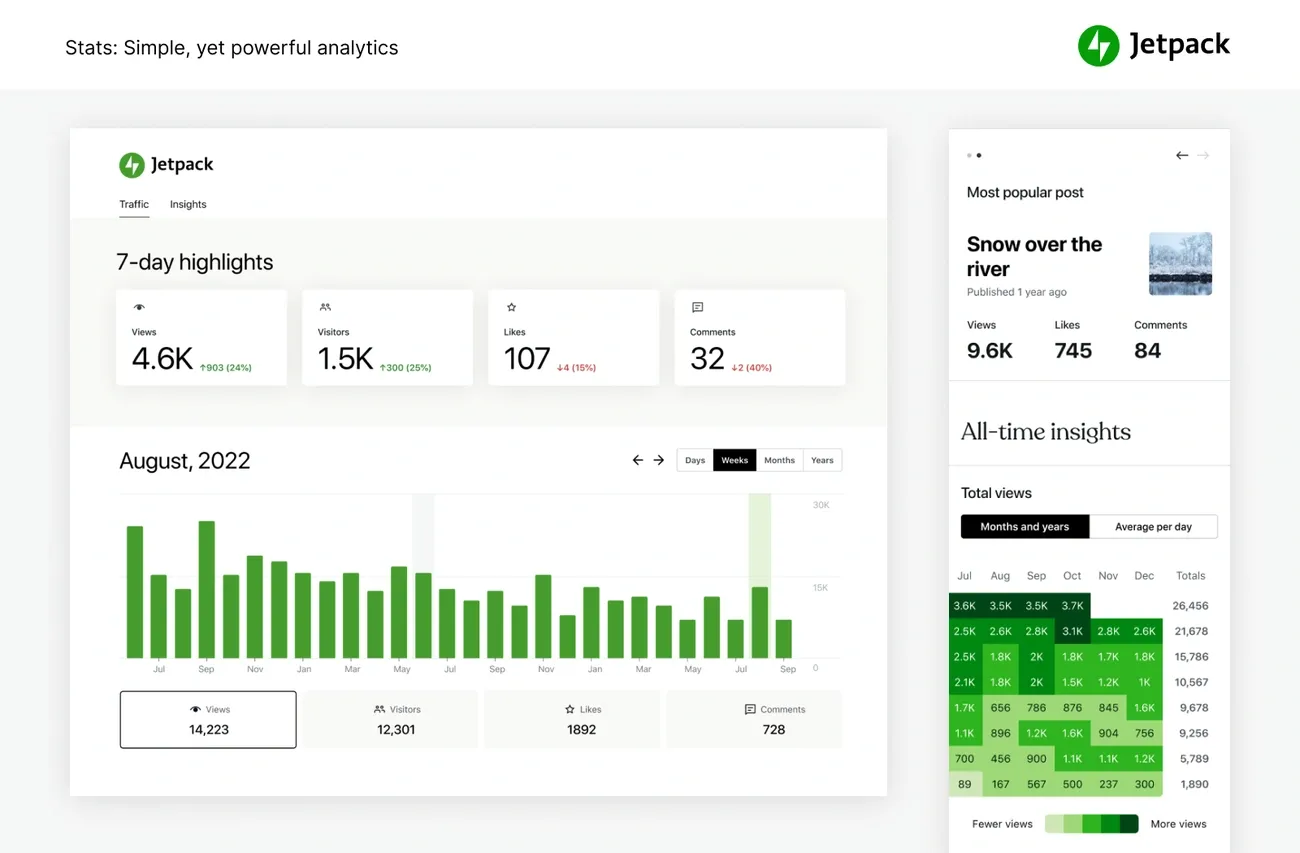
Image Source: WordPress.org
Jetpack stands out as a powerful all-in-one plugin that brings WordPress.com features to self-hosted sites. Created by Automattic, this versatile toolbox has over 5 million active installations. The plugin connects to WordPress.com servers and handles resource-intensive tasks efficiently.
Jetpack Features
Jetpack offers modular capabilities in several categories:
Security: Brute force protection, downtime monitoring, and automated backups
Performance: Image CDN, lazy loading, and site accelerator for faster loading
Growth: Social media auto-publishing, SEO tools, and site statistics
Management: Custom content types, plugin auto-updates, and notifications
Creation: Contact forms, image carousels, and markdown support
Jetpack Time-Saving Benefits
The plugin automates many site maintenance tasks that would take hours to complete manually. It creates and submits sitemaps and runs daily security scans that automatically fix known threats. Your site data stays safe with scheduled backups stored offsite. On top of that, it shares new content across social platforms through Publicize, which eliminates manual posting time.
Jetpack Pricing
Free: Essential features including brute force protection and basic stats
Security: USD 20.00/month yearly for backups, scanning and spam protection
Complete: USD 50.00/month yearly including all premium features
Individual components available separately at different price points
Jetpack Best Use Case
Blogs and small business sites benefit most from Jetpack’s combined functionality. Personal non-commercial blogs work well with the free version. Commercial sites that need advanced security, backup, and growth features should opt for paid plans.
WooCommerce
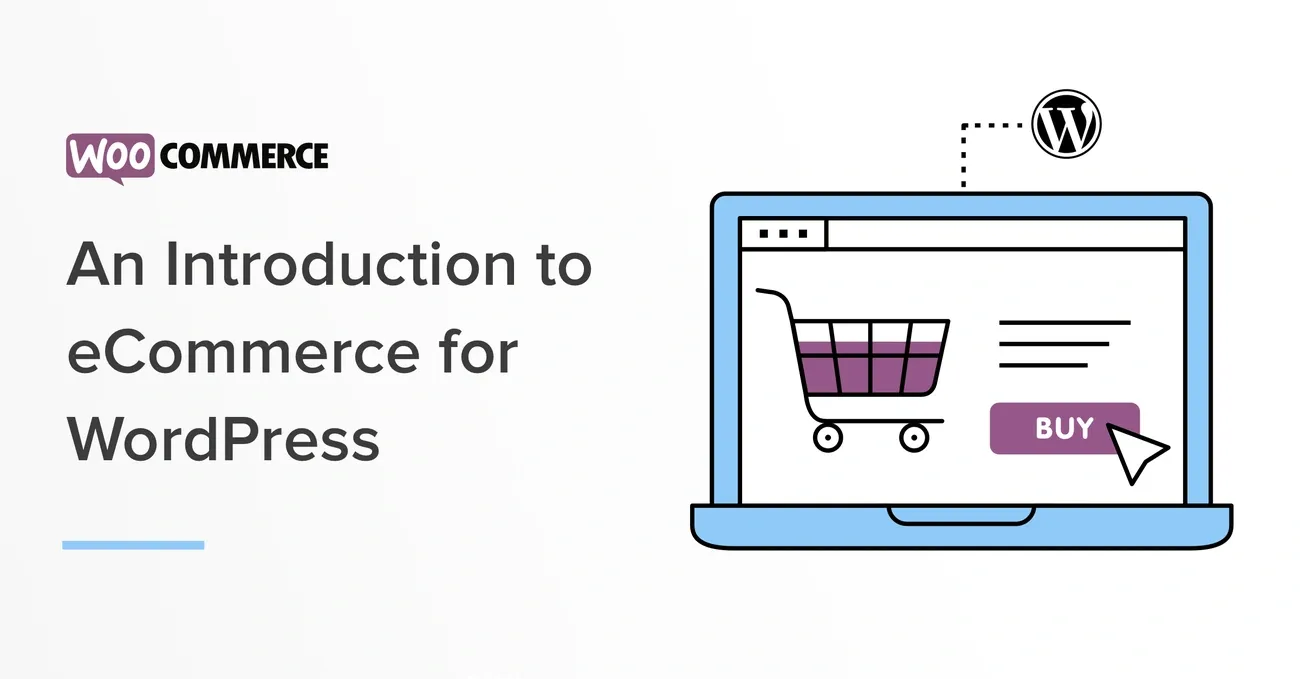
Image Source: WooCommerce
WooCommerce helps you build your online store with ease. This leading ecommerce plugin for WordPress powers over 39% of all ecommerce websites worldwide. More than 6.6 million live websites use this open-source solution to turn their WordPress sites into full-featured ecommerce platforms.
WooCommerce Features
WooCommerce gives you detailed ecommerce capabilities through:
A familiar WordPress dashboard that works right out of the box
No limits on products, variations, and categories
Full support for physical items, digital downloads, and subscriptions
Many payment gateway options to choose from
Ready-to-use shipping features with carrier rate calculations
WooCommerce Time-Saving Benefits
Store management becomes easier with automation tools that cut down manual tasks. Auto Order Archive keeps your dashboard clean by moving old orders to archives automatically. The plugin lets you edit multiple products at once, and you can manage your catalog quickly using spreadsheets with import/export tools.
WooCommerce Pricing
WooCommerce brings great value to store owners:
Core plugin comes free without transaction fees
No required subscriptions
Hosting costs about USD 120/year
Domain names run around USD 15/year
Premium themes and extensions available if needed
WooCommerce Best Use Case
WooCommerce works best for:
Small to medium businesses looking for economical solutions
Existing WordPress website owners
Businesses that need full control over customization
Companies planning to sell internationally
Rank Math SEO
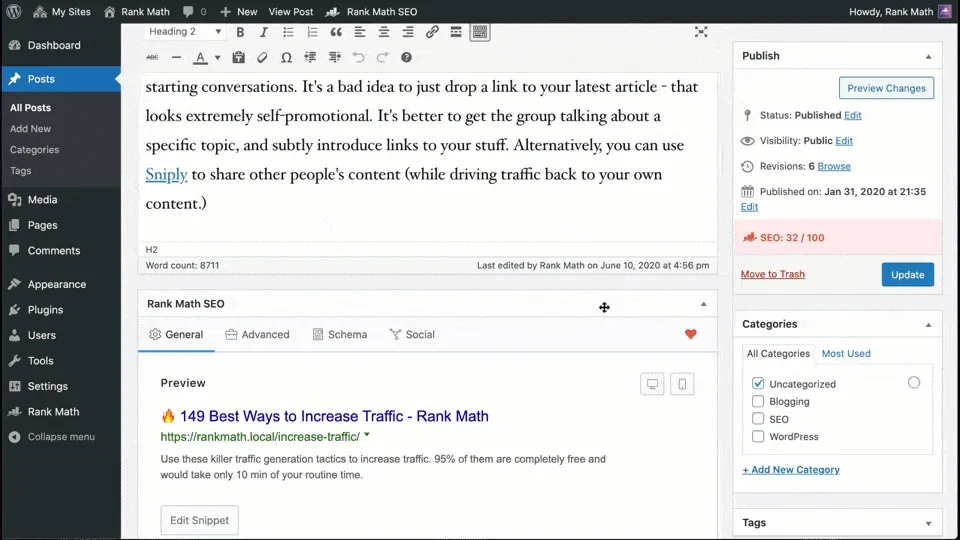
Image Source: WordPress
Rank Math has revolutionized WordPress SEO since its launch in 2018. This detailed SEO tool quickly became a prominent alternative to other plugins. The free version packs extensive functionality that website owners love.
Rank Math Features
The modular design gives Rank Math impressive capabilities. The free version has optimization for unlimited keywords (5 by default), 30+ detailed SEO tests, and support for 16+ schema types. The plugin goes beyond simple functionality with Google Search Console integration, 404 error monitoring, and intelligent internal linking suggestions. The plugin’s AI-powered Content AI module ended up providing 40+ tools and 125+ curated prompt templates that help with everything from content generation to optimization.
Rank Math Time-Saving Benefits
The global SEO settings reduce hours of work by letting you configure all content types at once. Websites using builders like Elementor, Divi, or Beaver Builder find this particularly valuable. The plugin adds alt attributes to images automatically based on filenames. Rank Math optimizes workflows through automated schema implementation, SEO analysis, and keyword suggestions pulled straight from Google Autocomplete.
Rank Math Pricing
Rank Math’s tiered pricing looks like this:
Pro: USD 96.46/year for unlimited personal websites with 500 tracked keywords
Business: USD 251.88/year for client and business sites
Agency: USD 599.88/year for detailed agency servicesEach tier comes with different AI credits, tracked keywords, and priority support levels.
Rank Math Best Use Case
Users who want extensive free SEO features love Rank Math before they think over premium options. Bloggers and content creators who need schema markup, image optimization, and detailed content analysis find it perfect. The Pro version fits agencies and businesses that need advanced analytics, AI content assistance, and support for multiple client websites.
Site Kit by Google
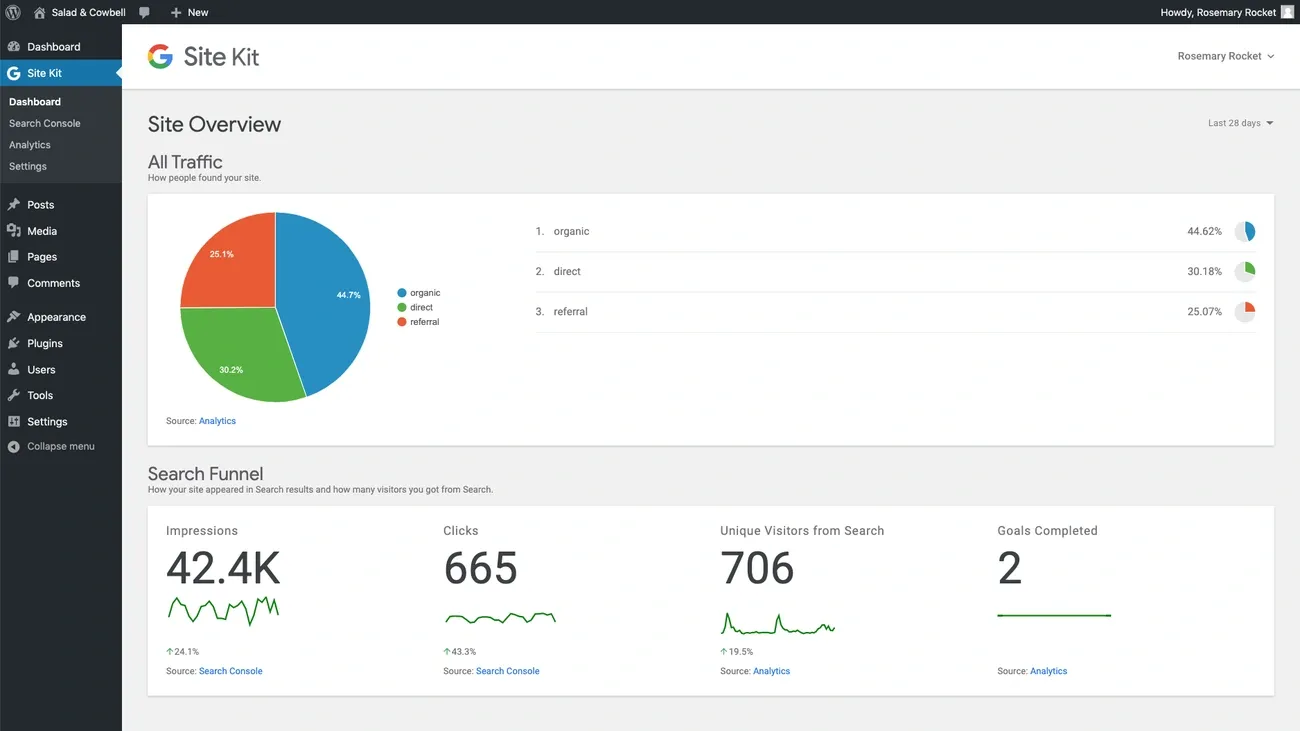
Image Source: Site Kit – Google
Site Kit, Google’s official WordPress plugin, brings all your metrics and insights to one central location by combining Google services into your WordPress dashboard. You won’t need multiple logins or constant tab switching between your site and Google services anymore.
Site Kit Features
Site Kit connects your WordPress site to multiple Google products:
Search Console: Shows how people find you in search results
Analytics: Tracks visitor behavior and how users interact with your site
PageSpeed Insights: Analyzes site speed and suggests improvements
AdSense: Monitors ad revenue and performance metrics
Tag Manager: Implements tracking codes without editing code
Site Kit Time-Saving Benefits
The plugin saves you 30-45 minutes each time you check analytics by putting all data in one place. You no longer waste time switching between different services. Site owners who check metrics weekly can save nearly 36 hours each year—almost a full work week.
Site Kit Pricing
Site Kit comes completely free. The plugin and all connected Google services have no hidden fees or subscription costs.
Site Kit Best Use Case
The plugin works best for site owners who need simple insights without technical complexity and don’t have dedicated analytics teams. While it’s great for high-level metrics, some limitations exist. Admin users have restricted access, and the simple statistical reporting can’t replace full Google service dashboards when you need advanced analysis.
Duplicator

Image Source: WordPress.org
Duplicator helps you move or back up your WordPress site by packaging your website into a single file. This powerful plugin makes site transport simple between domains or hosts without any downtime.
Duplicator Features
The plugin shines with its complete site protection capabilities. It creates full WordPress file and database backups quickly. You can store these backups on cloud services like Google Drive, Dropbox, Amazon S3, and OneDrive. The plugin also secures your archives with industry-standard AES-256 encryption.
Duplicator Time-Saving Benefits
The original manual migration tool has evolved to include scheduled automated backups in its premium version. Users can transfer sites through a simple two-step wizard without technical expertise. The Pro version takes it further with drag-and-drop importing that removes the need for FTP.
Duplicator Pricing
Duplicator comes with free and premium options:
Free: Manual backups and simple migrations
Basic: USD 49.50/year for 2 sites
Plus: USD 99.50/year for 5 sites
Pro: USD 199.50/year for 20 sites with multisite support
Elite: USD 299.50/year for 100 sites
Duplicator Best Use Case
Developers find Duplicator ideal for moving sites between environments. The free version suits small personal blogs well, while businesses that need scheduled backups should opt for premium tiers.
Wordfence Security
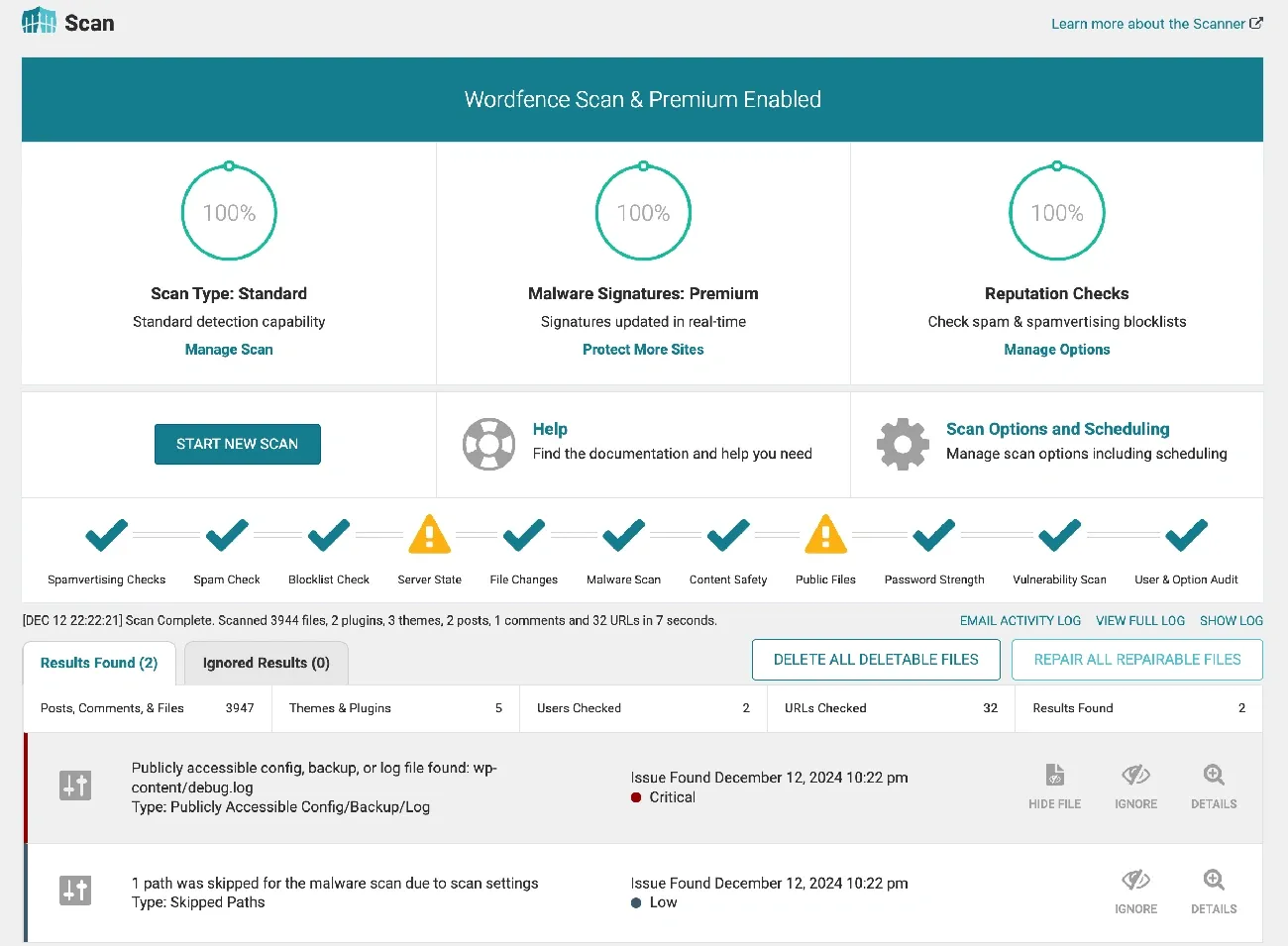
Image Source: Wordfence
Protect your WordPress website from attacks with Wordfence Security, a powerful protection plugin backed by the world’s leading WordPress security research team. This detailed solution protects your site directly at the endpoint level and provides better WordPress integration compared to cloud alternatives.
Wordfence Features
Wordfence creates multiple layers of security through:
Web Application Firewall that identifies and blocks malicious traffic
Live IP Blocklist that stops requests from known dangerous sources
Malware scanner that checks core files, themes and plugins
Two-factor authentication that prevents unauthorized access
Login security with CAPTCHA and compromised password blocking
Wordfence Time-Saving Benefits
The plugin handles security monitoring automatically with live alerts and scheduled scans. You can spot attack patterns easily through the Live Traffic view without needing separate analytics tools. The Threat Defense Feed updates firewall rules and malware signatures automatically, which eliminates the need for manual security research.
Wordfence Pricing
Free: Essential security with 30-day delayed updates
Premium: USD 119.00/year per site with live protection
Care: USD 490.00/year includes dedicated analyst support
Response: USD 950.00/year with 24/7 coverage and 1-hour response guarantee
Wordfence Best Use Case
The plugin works great for any WordPress site that needs protection against brute-force attacks and code injections. Personal blogs can use the free version effectively, while businesses handling sensitive data should opt for Premium to get immediate threat protection.
WP Mail SMTP
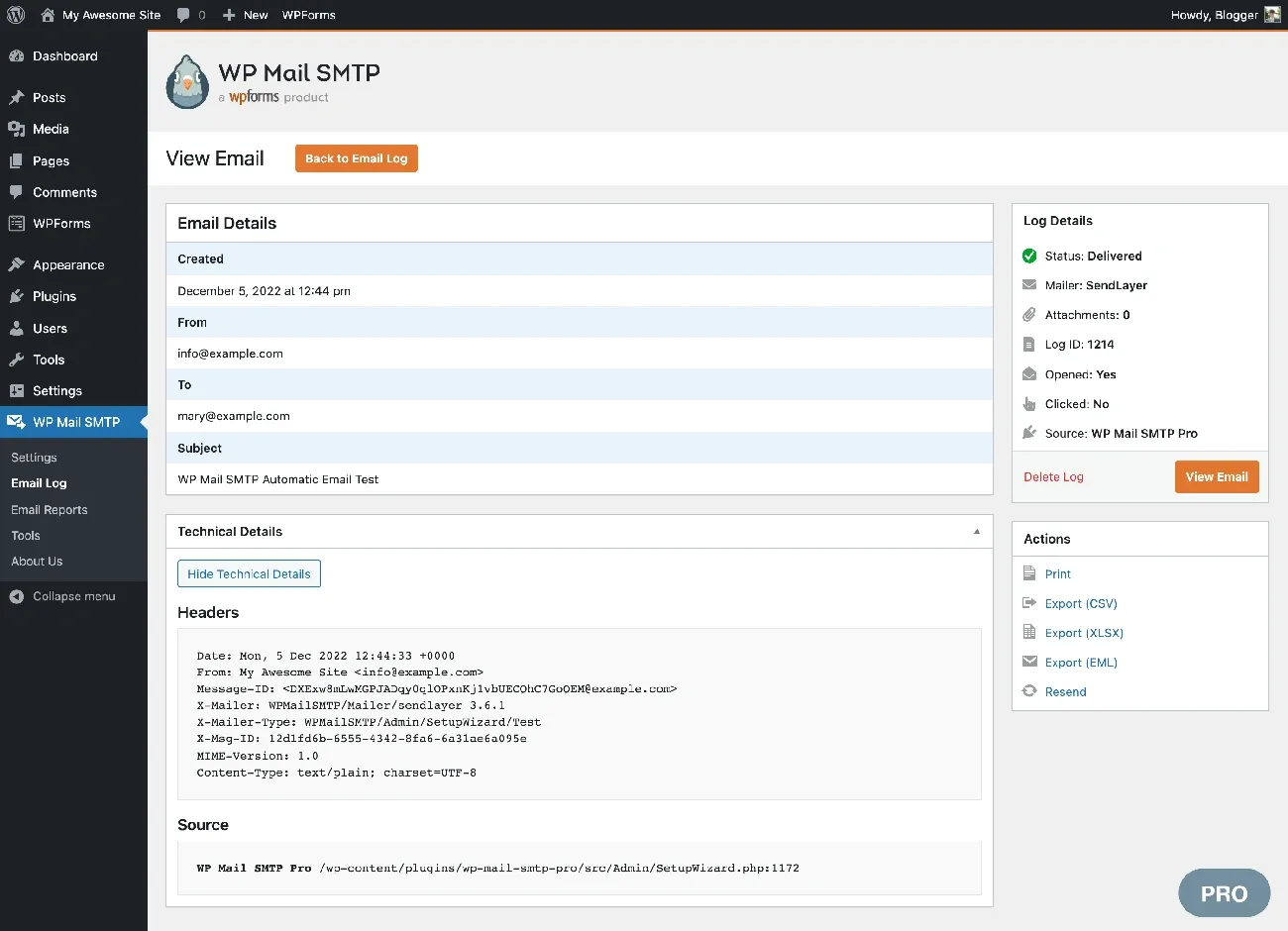
Image Source: WordPress.org
WP Mail SMTP solves WordPress email delivery problems and makes sure your important emails reach their intended recipients. This powerful plugin helps millions of websites prevent their emails from ending up in spam folders.
WP Mail SMTP Features
The plugin connects your site to trusted email providers through proper authentication protocols. It works with many email services like SendLayer, SMTP.com, Brevo, Gmail, Amazon SES, and Microsoft 365. The Pro version gives you detailed email logging to track outgoing messages, generates reports with open and click rates, and lets you route different types of emails through separate providers.
WP Mail SMTP Time-Saving Benefits
The plugin fixes deliverability problems automatically through proper authentication. Pro users get instant alerts about failed emails through email, SMS, or Slack. Your emails will keep flowing because backup connections switch to other providers when the main connection fails.
WP Mail SMTP Pricing
Free: Simple SMTP functionality
Pro: Starting at USD 49.00/year for one site
Elite: Has White Glove Setup service
WP Mail SMTP Best Use Case
This plugin works great for WordPress sites that need reliable email delivery—from eCommerce order confirmations to contact form responses. Companies that depend heavily on email communications will get the most value from Pro features.
Pretty Links
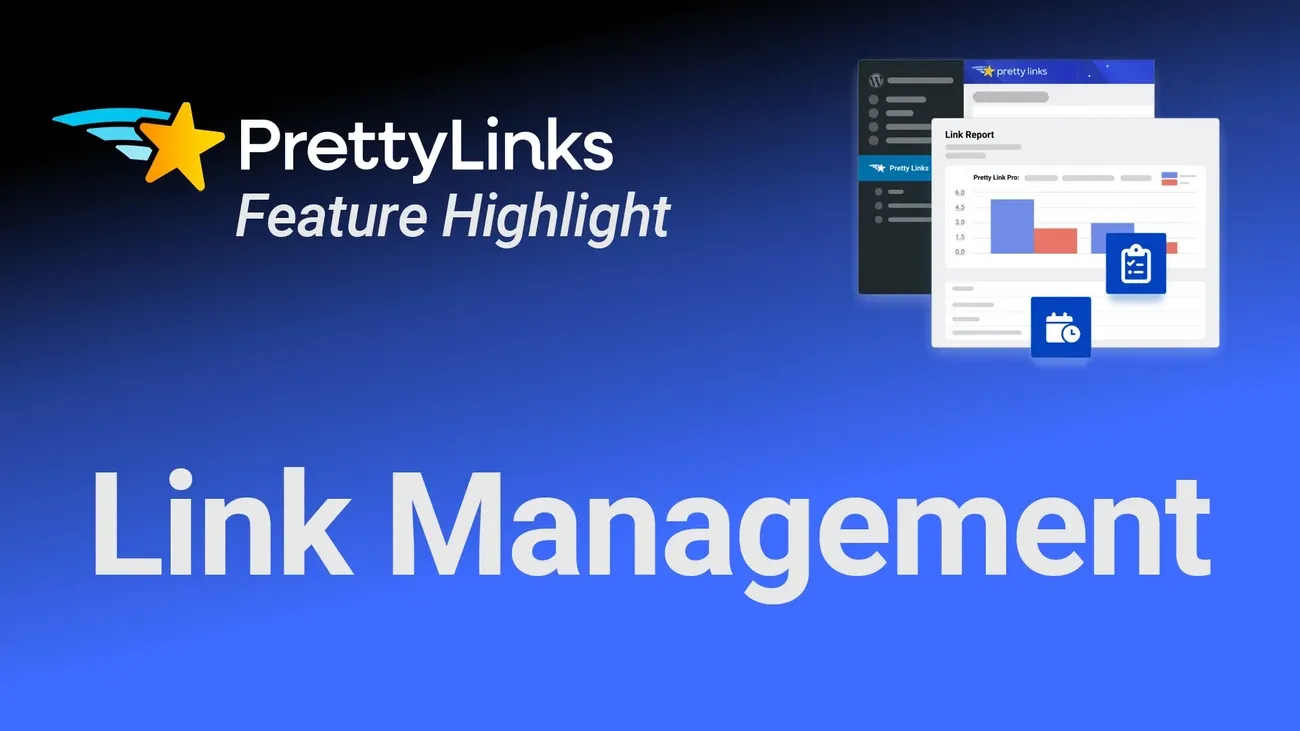
Image Source: PrettyLinks
Pretty Links stands as the #1 affiliate marketing plugin for WordPress that turns long, messy URLs into clean, branded links matching your domain. This powerful tool lets you shorten, track, and manage all your links from a single dashboard.
Pretty Links Features
The plugin gives you complete link management through a central hub. You can clean up affiliate links, track clicks, and keep everything in one place. The plugin does more than simple shortening – it lets you categorize links with tags, add notes to each link, and supports different redirect types (301, 302, and 307). Users can set up dynamic redirection based on time periods, auto-link keywords throughout their content, and create QR codes. The Pro version takes it further by letting you display two affiliate products side by side.
Pretty Links Time-Saving Benefits
The plugin cuts down manual work through automation. The keyword replacement feature adds affiliate links automatically when specific words show up in your content. Users can import URLs in bulk from other link management tools. The plugin creates custom click data reports without needing separate analytics tools. Your links get backed up automatically through scheduled exports.
Pretty Links Pricing
Pretty Links comes with these pricing tiers:
Beginner: USD 99.50/year for 1 site
Marketer: USD 149.50/year for 5 sites
Super Affiliate: USD 199.50/year for 10 sites
Each plan includes a 14-day money-back guarantee.
Pretty Links Best Use Case
We designed Pretty Links for affiliate marketers, bloggers, social media influencers, course creators, podcasters, and YouTubers who want branded URLs. The free version handles simple link shortening, while the Pro version suits serious affiliate marketers who need advanced features like auto-linking keywords, conversions tracking, and split testing. The plugin really shines at creating memorable, speakable links that work great for podcasts and videos.
CookieYes
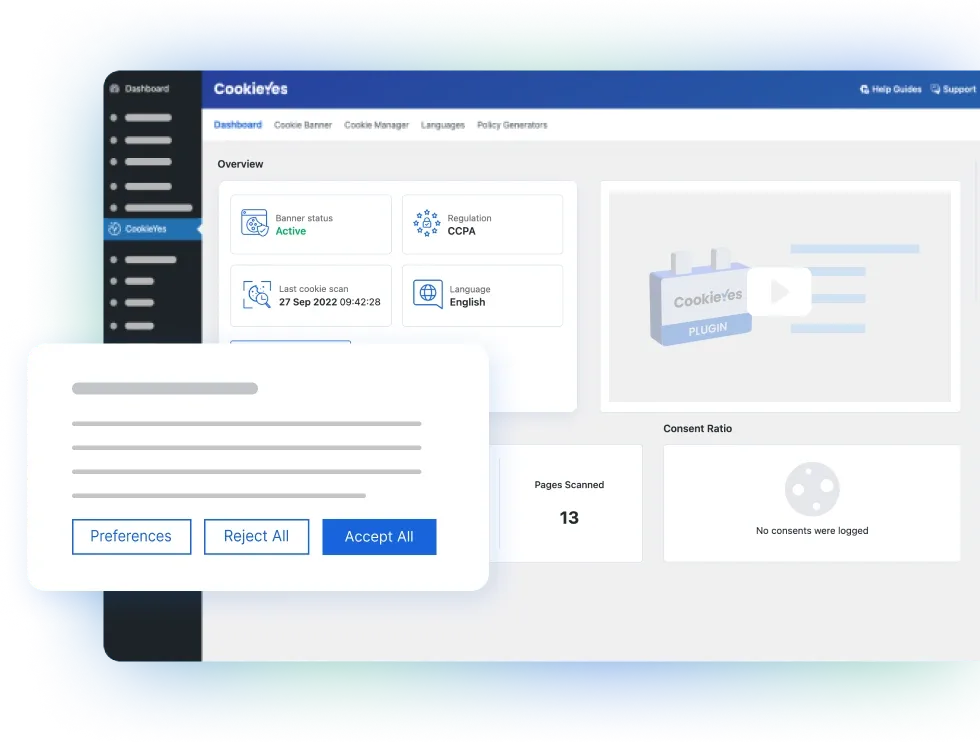
Image Source: CookieYes
CookieYes, a complete WordPress plugin trusted by over 1.5 million websites including Toyota, Domino’s, and Heineken, makes cookie consent management easier. This certified Google CMP partner helps your site comply with GDPR, CCPA, LGPD, and other global privacy regulations through automated tools.
CookieYes Features
The plugin’s strong consent management system uses automatic cookie scanning to identify and categorize cookies on your website. Third-party scripts remain blocked until users provide consent. You can customize banners with layouts, colors, and content options that match your brand’s design. Premium features add geo-targeting capabilities to display region-specific banners and integrate with Google Consent Mode v2.
CookieYes Time-Saving Benefits
Automated scanning reduces compliance workload by detecting and categorizing cookies without manual work. Your cookie information stays updated automatically through scheduled scans. The system maintains detailed consent logs of user’s choices for audit purposes.
CookieYes Pricing
CookieYes offers tiered pricing:
Free: 5,000 pageviews/month, 5 scans/month, simple features
Basic: USD 10.00/month with 100,000 pageviews
Pro: USD 25.00/month with 300,000 pageviews
Ultimate: USD 55.00/month with unlimited pageviews
CookieYes Best Use Case
Websites that need cookie compliance without technical complexity will find this plugin useful. Small businesses can benefit from the Basic plan. Sites with global audiences should choose Pro or Ultimate plans to get geo-targeting capabilities.
Health Check & Troubleshooting
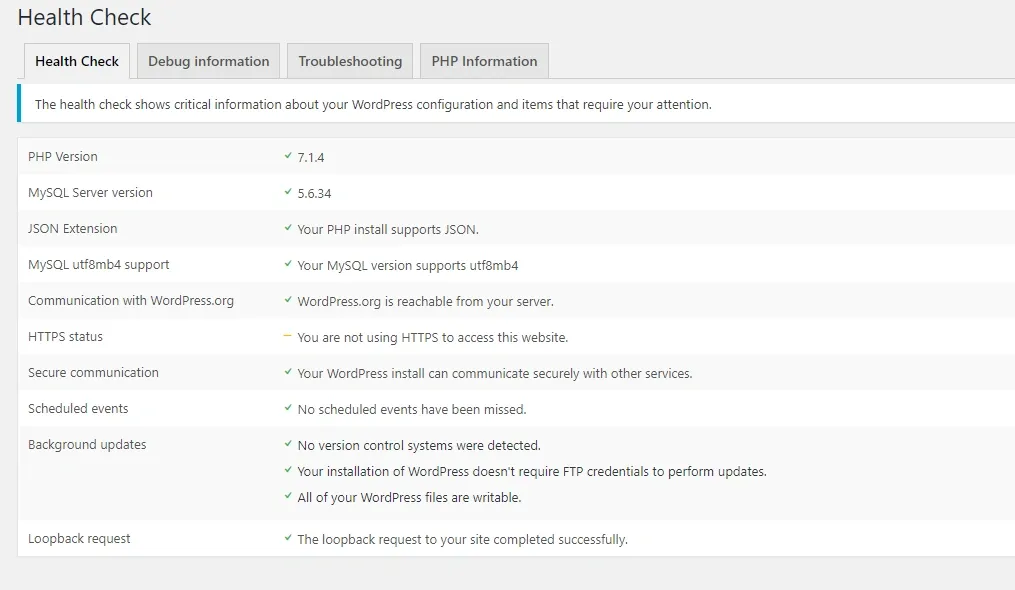
Image Source: Make WordPress – WordPress.org
The WordPress.org community developed Health Check & Troubleshooting, a diagnostic plugin that helps you fix WordPress website problems easily. This official tool works with the built-in Site Health feature to help you learn about your website’s performance and functionality.
Health Check Features
Health Check gives you powerful ways to diagnose problems:
A troubleshooting mode that turns off all plugins and switches to a default theme for you only—while your visitors see the normal site
Complete diagnostic tools that show detailed server information
Software version checks for WordPress core, themes, and plugins
Tools to scan broken links and check database integrity
Health Check Time-Saving Benefits
You can quickly find compatibility issues without affecting your live site using this plugin. The process lets you turn plugins back on one by one until you find what causes the conflict. This saves you from long periods of downtime during problem-solving.
Health Check Pricing
Health Check & Troubleshooting is free to use, making it available to all WordPress site owners whatever their budget.
Health Check Best Use Case
We used this tool to diagnose plugin conflicts, verify updates, and do routine maintenance checks. Developers find it perfect to spot issues without disrupting the user experience on live websites.
Broken Link Checker
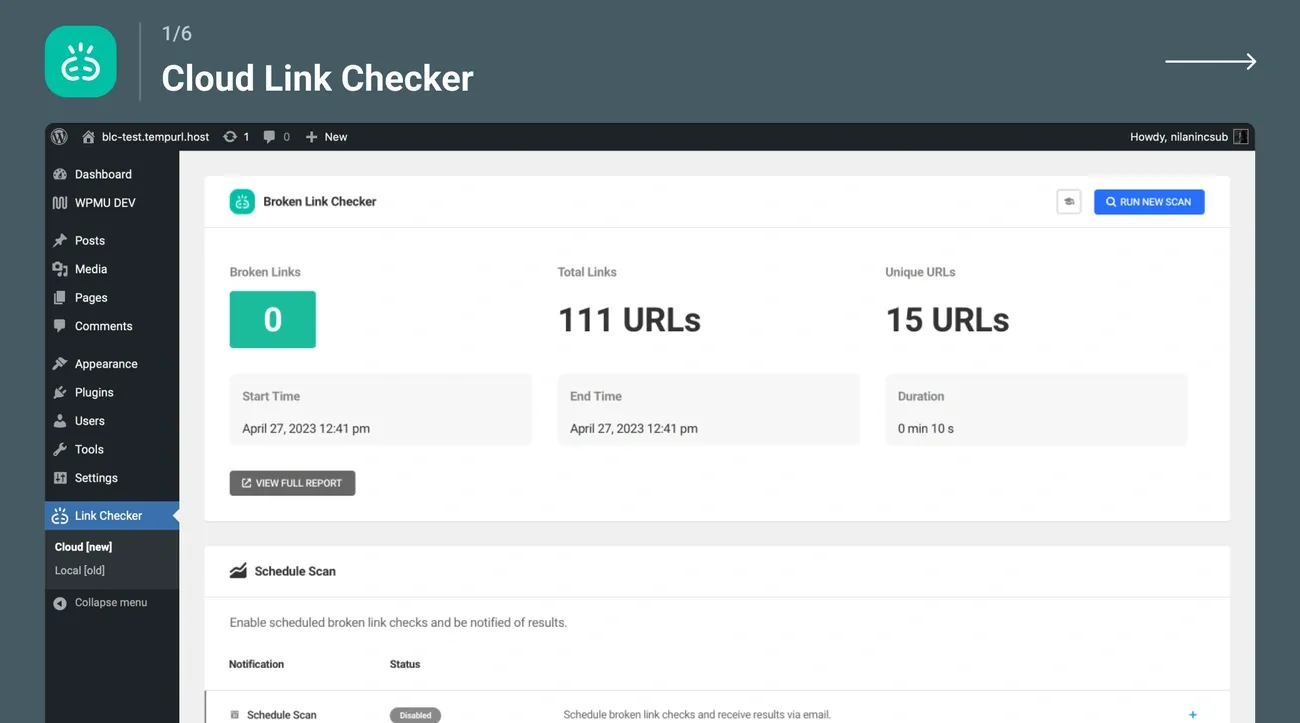
Image Source: WordPress.org
Broken Link Checker helps maintain your site’s professional image. This powerful WordPress plugin finds broken URLs 20x faster than competitors by using cloud-based technology. The tool has detected over 50,000 broken links daily and boasts 650,000+ active installations.
Broken Link Checker Features
The plugin automatically scans your WordPress site and monitors posts, pages, comments, and custom fields. Its cloud-based engine checks everything – internal and external links, redirects, and missing images. You can edit or unlink broken links directly from a centralized dashboard. The plugin also displays broken links as strikethrough text on public pages, which helps visitors spot problems quickly.
Broken Link Checker Time-Saving Benefits
WPMU DEV’s servers handle all cloud-based scanning instead of your site. This eliminates resource strain and delivers results 20x faster. Your site won’t get blocklisted due to excessive external pinging. The plugin runs scheduled scans and sends email notifications. This automated process saves about 30 minutes per scan.
Broken Link Checker Pricing
Free: Complete functionality with no limitationsCompetitors: USD 30.00/month with limitations on sites and links
Broken Link Checker Best Use Case
Content-heavy websites need this tool for regular maintenance. High-traffic and e-commerce sites should run weekly checks. Content-focused blogs work well with monthly scans. The plugin becomes especially useful after major site updates or redesigns.
Comparison Table
|
Plugin Name |
Active Installations |
Key Features |
Time-Saving Benefits |
Basic Pricing |
Best Use Case |
|
Elementor |
21M+ websites |
• Live visual editing |
• Autosave feature |
Free; Pro from €60/year |
Beginners (Free) and professional developers (Pro) |
|
Yoast SEO |
61.41% market share |
• Content analysis |
• AI-powered title/meta generation |
Free; Premium $118.80/year |
Content-driven websites and businesses seeking organic visibility |
|
WP Rocket |
Not mentioned |
• Page caching |
• Simple setup with zero configuration |
$59/year (Single site) |
Sites without technical expertise needing optimization |
|
UpdraftPlus |
3M+ active sites |
• Complete site backup |
• Scheduled automatic backups |
Free; Premium from $70/year |
Small-medium websites (Free) and e-commerce/membership sites (Pro) |
|
WPForms |
6M+ active |
• Drag-and-drop builder |
• AI form generator |
Free; Premium from $49.50/year |
Simple contact forms (Free) to advanced business needs (Pro) |
|
Smush |
1M+ active |
• Lossless compression |
• Bulk optimization |
Free; Pro from $7.50/month |
Small blogs (Free) to media-heavy professional sites (Pro) |
|
Akismet |
Not mentioned |
• Global spam database |
Reduces spam filtering time by ~20 hours monthly |
Free for personal; $9.95/month for commercial |
Comment-heavy blogs and sites accepting user submissions |
|
Jetpack |
5M+ active |
• Security features |
• Automated sitemaps |
Free; Premium from $20/month |
Blogs and small business sites needing combined functionality |
Conclusion
The plugins you pick for WordPress affect your website’s performance and functionality by a lot. We’ve explored 25 must-have plugins that excel in 2026. These tools help you save countless hours and enhance your WordPress site. Elementor’s visual editing features and WP Rocket’s performance boost tackle critical website needs. You don’t need extensive technical knowledge to use them.
Each plugin has its own purpose. Wordfence Security protects your site, Smush optimizes images, and WooCommerce manages your online store. Success comes from picking plugins that solve your specific challenges instead of installing everything available.
Smaller sites or those with simple needs work well with free plugin versions. Premium options give you many more features to think over as your website grows. Without doubt, the right mix of these tools will reshape your WordPress experience. You can focus on creating content and growing your business instead of technical upkeep.
Pick plugins that match your specific goals. A well-optimized WordPress site with the right plugins loads faster. It ranks better in search results and gives users a better experience. Your visitors will notice the difference, even if they can’t see these powerful tools working behind the scenes.
Ready to Dominate Local Search in the RGV?
We build high-performance websites with built-in semantic structure and local entity schemas. Let's make your business the authority in South Texas.

Written by Carlos Guzmán
Carlos Guzmán is the founder of RGV Web — a web designer and SEO specialist with 20+ years of experience helping small businesses in Mexico and the U.S. turn their websites into real business assets, from design and development to SEO, automation, and e-commerce.